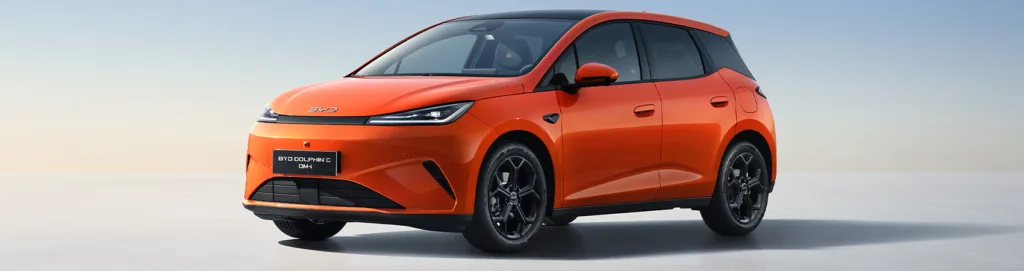

BYD models include forward-thinking touchscreens in all their models, and there are a number of shortcuts available for maximum convenience. These include a quick access menu, three-finger climate control, and the rotation button.
BYD has quickly become one of the most exciting names in the UK electric vehicle market, offering tech‑forward cars like the ATTO 3, DOLPHIN SURF, and SEALION 7 – all equipped with advanced infotainment systems designed to make driving smarter and simpler. One standout feature across the range is the intuitive touchscreen, complete with clever shortcuts that streamline the way you interact with your car.
Whether you’re new to BYD or simply want to unlock more of your car’s tech, here’s your go‑to guide to the most useful touchscreen shortcuts available in UK models.
What makes BYD touchscreens different?
Across its electric lineup, BYD integrates intelligent infotainment systems featuring:
- Large rotating displays up to 15.6 inches (depending on model)
- Widgets and smart layout customisation
- Smartphone mirroring (Apple CarPlay & Android Auto)
- Voice assistant activation via “Hi BYD”
These systems are designed for both simplicity and flexibility, ideal for commuting, family life, and modern EV ownership.
BYD touchscreen shortcuts
1. Slide-down quick access menu
This gesture reveals an instant‑access panel. Just swipe down from the top of the screen. You’ll instantly access:
- Wi‑Fi
- Bluetooth
- Mobile Data
- Mute
- Hotspot
- Screenshot
- Remote Location
- Brightness
This is one of the quickest ways to change everyday settings.
2. Widget editing and rearranging
BYD’s widget system lets you personalise the main interface. You can:
- Add a widget by pressing and holding a widget space
- Drag and drop icons into new positions
- Delete widgets by dragging them to the bin icon
This makes the home screen feel more like a smartphone, with your most‑used functions always one tap away.

3. Rotation button
On supported models, the touchscreen interface includes a screen rotation shortcut.
Tap the rotation icon on the screen to flip between:
- Landscape mode (ideal for driving/navigation)
- Portrait mode (best for browsing menus amd apps)
Note: newer models like the ATTO 2 and future releases are phasing out rotating screens, locking them into landscape for improved app integration.
4. Navigation bar shortcuts
Most BYD models include three universal touchscreen buttons:
- Back (return to previous page)
- Home (return to main menu)
- Recent Apps (view open applications)
These help you jump through menus effortlessly.
5. Smart Voice Assistant (“Hi BYD”)
Activated simply by speaking, the assistant lets you shortcut commands such as:
- Set a destination
- Adjust A/C
- Make calls
- Change media
Voice shortcuts mean less tapping and more time focusing on the road.
6. Media and volume shortcuts
Many BYD systems include:
- A physical scroll wheel for immediate volume control
- Touchscreen media widgets for pause/play/skip
No digging through menus required.
7. Vehicle controls
In models like the SEAL U DM-i and DOLPHIN SURF, swiping or tapping the shortcuts menu lets you instantly access:
- Climate control
- Lock settings
- Lighting
- Energy management
- ADAS settings
These shortcuts help drivers adjust essential driving settings on the fly. For example, swipe with three fingers to adjust the climate.
BYD’s touchscreen systems are some of the most intuitive and flexible on the market, especially within the UK’s growing EV segment. With powerful shortcuts, customisation, and voice assistant features, they’re built to make driving smoother and more immersive. Explore the range today.